New feature for collection management: you can now export and import your collection!
What is it for?
- Keeping a backup of your collection on your computer.
- Filling in your collection in one go from a file, without ticking everything by hand.
How does it work?
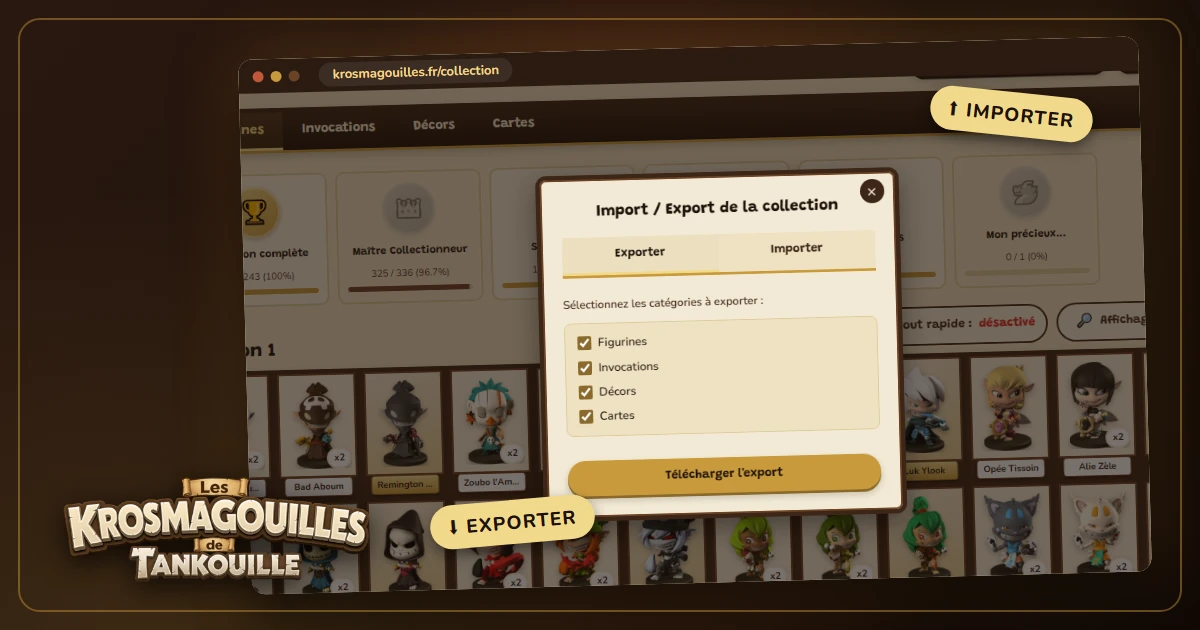
From your collection, click the Import/Export button:
- To export: choose the categories to include (figurines, summons and scenery, cards) and download the file.
- To import: choose your file and the categories concerned, then decide whether you want to add it to your current collection or replace it.
No nasty surprises: the file is analysed first, and nothing is changed until you have confirmed the import.